Introducing Skill Builder: Create Reusable Skills Just by Talking to Lizzy

Alex Yudovich
July 23, 2026
Skills let you save your best instructions and run them again whenever you need them. Skill Builder takes this further - now you can create a Skill right inside the chat, guided by Lizzy, without writing a prompt.
Why repeat work should not mean repeat effort
Most legal work is repeat work. The same contract review, the same clause checklist, the same way you like a summary structured - over and over, across matters.
Skills in Lizzy exist for exactly this: a Skill is a reusable set of instructions you save once and run again any time, so you are not re-explaining the task on every new chat. Writing those instructions well takes a little time and a feel for phrasing, and that is the step most people would happily skip.
Skill Builder does exactly that. Now, if you can describe what you want in plain words, you can build a Skill.
How it works
The flow is designed to feel like a conversation, not a form:
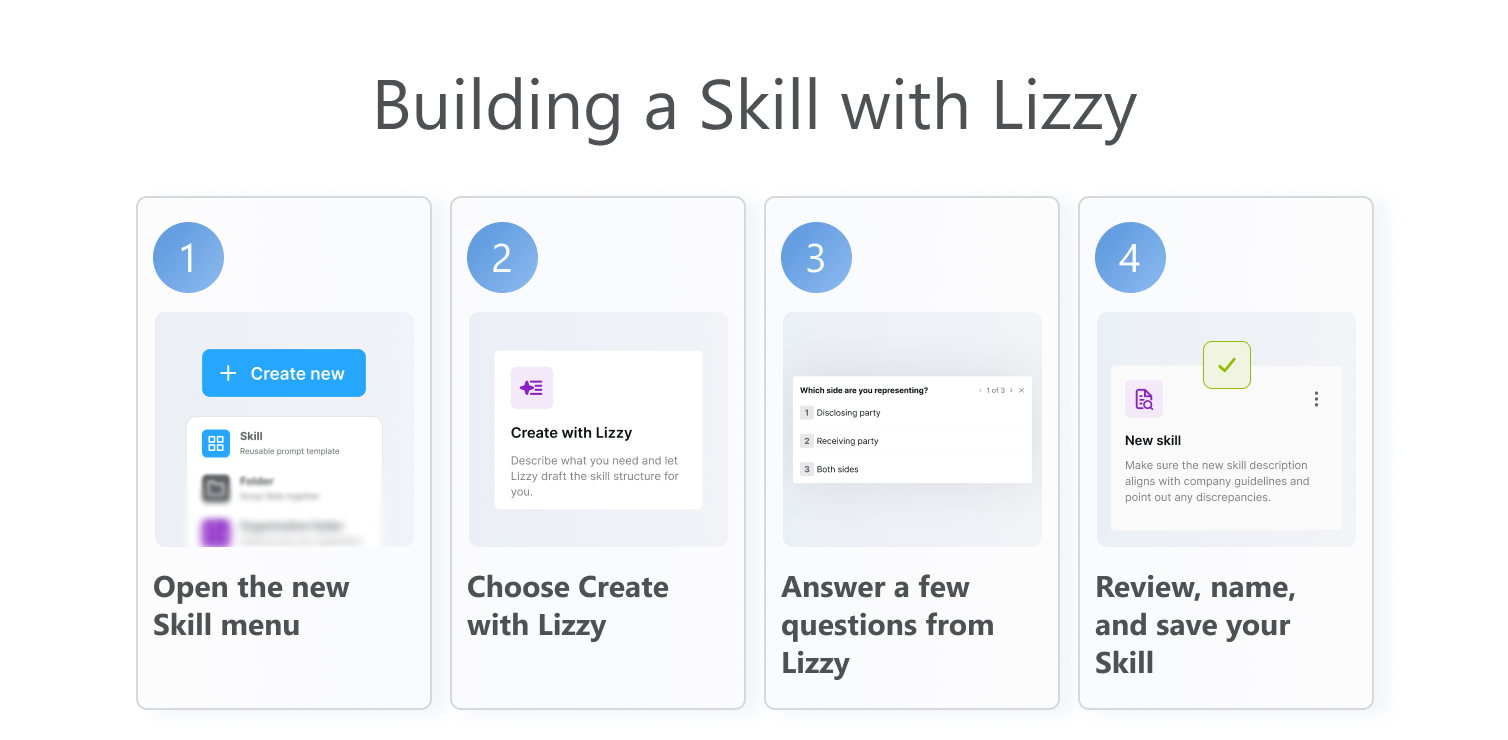
- In the chat composer, click the + button and choose Skill.
- In the Create new Skill window, choose Create with Lizzy.
- Lizzy starts a guided session right in the chat and asks you one question at a time. Each question comes as a simple card with a few options, a free-text field, and a Skip button, plus a progress marker so you always know where you are.
- Answer in your own words or pick an option. Lizzy uses your answers to move to the next question.
- When she has enough, Lizzy generates a first draft of the Skill as a message in the chat.
- From there you either save the Skill as is or open it to edit before saving.
More than one way to start
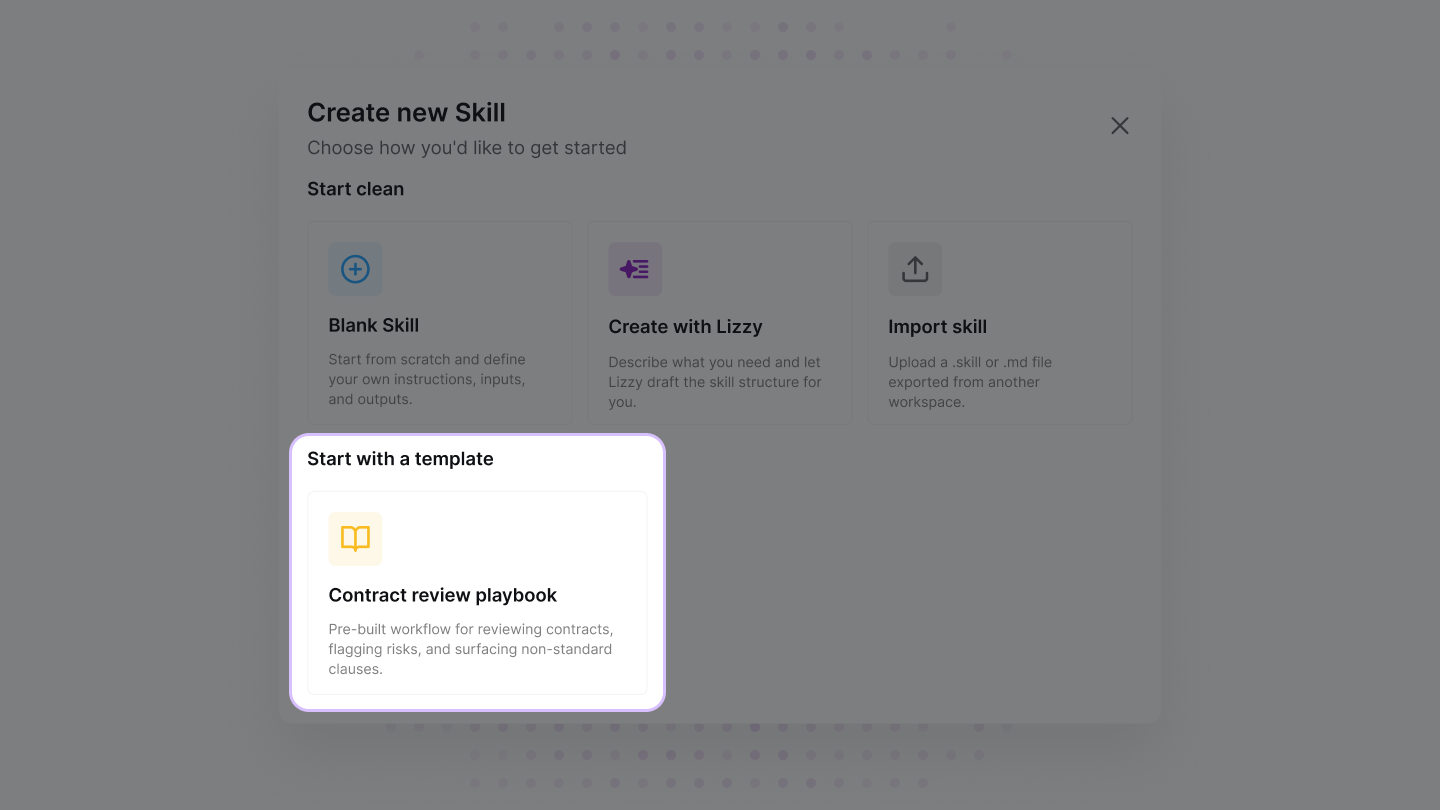
Create with Lizzy is the guided path, but it is not the only way to begin. When you create a new Skill, you choose the starting point that fits:
- Blank Skill - start from scratch and define your own instructions, inputs, and outputs.
- Create with Lizzy - describe what you need and let Lizzy draft the Skill structure for you.
- Import skill - upload a .skill or .md file exported from another workspace.
You can also start from a template. At launch that includes a ready-made Contract review playbook, a pre-built workflow for reviewing contracts, flagging risks, and surfacing non-standard clauses, so you begin from a proven structure instead of a blank page. This is only the beginning: we will keep adding templates so more common legal workflows are ready to use out of the box.
Reuse it, and share it with your team
Once saved, a Skill is available to run again in a click, so the next matter starts from your best version of the task instead of a blank prompt. You can keep a Skill for yourself or, where your organization allows it, share it so the whole team works from the same trusted instructions.
That is where the value compounds: the careful thinking you put into a task once becomes something everyone can reuse, consistently.
What makes it different
A blank prompt box asks you to already know the answer - how to phrase the task, what to include, what to leave out. Skill Builder flips that. Lizzy asks the questions, you supply the substance, and the prompt engineering happens for you in the background.
And because it all happens inside the chat you are already in, there is no separate tool to learn and no context to lose. You go from "I keep doing this by hand" to a saved, reusable Skill in a couple of minutes.
The takeaway
Skills were always about doing your repeat work faster and more consistently. Skill Builder makes the Skills themselves easy to create: describe the task, answer a few questions, review, and save. No prompt writing, no separate flow - just a reusable Skill, built with Lizzy, ready the next time you need it.