Introducing the Lawyal × Lizzy Integration

Alex Yudovich
August 2, 2026
Your documents already live in Lawyal. Now you can send them to Lizzy for AI analysis without leaving the system - select the documents, click Ask Lizzy, and they open in Lizzy ready to work.
law-yal.com
Legal AI only helps when it is connected to where you already work
Legal work does not start in a browser tab. It starts in the system where your matters, clients, and documents already live. Every time a tool asks a lawyer to export a file, rename it, dig it out of a downloads folder, and re-upload it somewhere else, friction adds up - and that is usually the moment the intention to "try the AI" quietly dies. The new Lawyal and Lizzy integration closes that gap. If your firm runs on Lawyal, Lizzy is now one click away from the documents you already have open.
What the Lawyal × Lizzy integration is
Lawyal is one of Israel's leading legal practice management platforms - the system many firms use to run their matters, documents, tasks, and finances in one place. Lizzy is the Legal AI layer for working with the documents themselves: contract review, legal translation, favoring a party, proofreading, summaries, and the rest of Lizzy's workflows.
The integration connects the two directly. Inside Lawyal's document management screen, you can select one or more documents and send them to Lizzy through the new Ask Lizzy action. No downloading, no re-uploading, no switching between disconnected tools. The document starts in Lawyal, where the firm manages the matter, and continues straight into Lizzy for AI analysis.
How it works
The flow matches how you already move through a matter in Lawyal:
- Open the document management screen in Lawyal.
- Find the documents you need - filter by client, matter, or folder.
- Select one or more documents. An action bar appears at the bottom of the screen.
- Click Ask Lizzy.
- The documents open in a new Lizzy chat, already loaded and ready to analyze.
You can also reach the same action from the right-click menu on a single document, so it fits whichever way you already work.
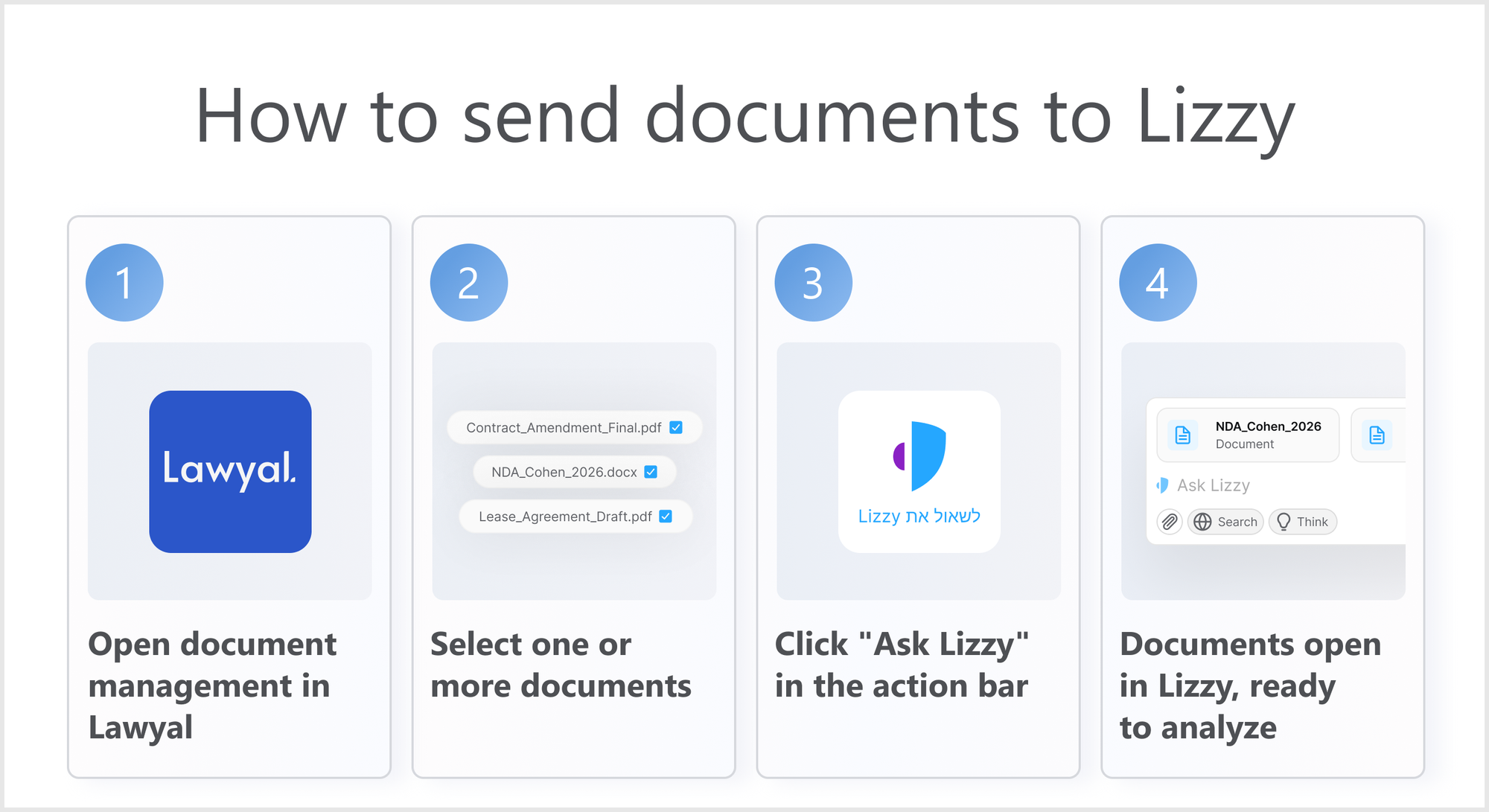
Your documents land where the work happens
Once you click Ask Lizzy, the documents open in Lizzy as if you had uploaded them yourself. From there you can run any workflow - review a contract, translate it, favor a party, proofread, or simply ask questions about what is inside. The handoff is meant to be invisible: you were in your matter a moment ago, and now you are working on the same documents with Lizzy.What makes this different
Plenty of tools claim to "integrate" when they really just mean a shared login. This is different: the documents themselves move, in the context of a specific matter, straight into the AI workflow. For a firm, that changes the economics of adoption. The value of legal AI is not only in the quality of the analysis - it is in how many seconds it takes to get a real document in front of it. When that friction drops to a single click, the AI stops being a separate experiment and becomes part of the daily workflow.
This is just the beginning
The Lawyal and Lizzy integration will roll out in phases. This is Phase 1: sending documents from Lawyal to Lizzy for AI analysis through the Ask Lizzy workflow. More phases are already planned, introducing deeper and more powerful flows between the two platforms.
Integrations with leading legaltech platforms are a core part of what Lizzy offers. Meeting lawyers inside the systems they already trust - rather than asking them to leave those systems - is how legal AI earns a place in real practice. Expanding that ecosystem is a priority, and more integration announcements will follow.
Where lawyers already work
If your firm already lives in Lawyal, Lizzy now meets you there. Select the documents, click Ask Lizzy, and they open in Lizzy ready to analyze - no exporting, no re-uploading, no leaving the system you manage your matters in. That is the whole point: legal AI that works where lawyers already work.